
Questionnaires as diaries
The lessons in the previous section showed how to share questionnaires, questionnaire groups, and recurring questionnaires with your patient. In all those scenarios, a questionnaire must first be shared with the patient for it to be completed. Patients cannot complete the questionnaire unless you first share it with them.
However, there are cases where you would want to give complete flexibility to the patient to complete a questionnaire whenever they want, without the need for you to first share the questionnaire with them. On Embodia, this is referred to as 'Diaries'.
For diaries, you usually specify a start and end date. During this date range, the patient has complete flexibility to complete new entries for the questionnaire.
Embodia has the Bladder and Fibre diaries built-in, but also allows you to use any questionnaire in your account as a questionnaire diary.
Bladder and Fibre diary
The bladder and fibre diaries are just like the paper versions, except patients don't need to carry around a piece of paper with them, and you don't have to collect those papers! Everything is done digitally.
Go to My patients and select a patient. Then go to Progress > Bladder diary or Fibre diary:

Then click Add a diary and fill in the information:

When your patient provides diary entries, they will be displayed for you too! Here's an example of what it will look like:

Custom Diary
First, create a questionnaire.
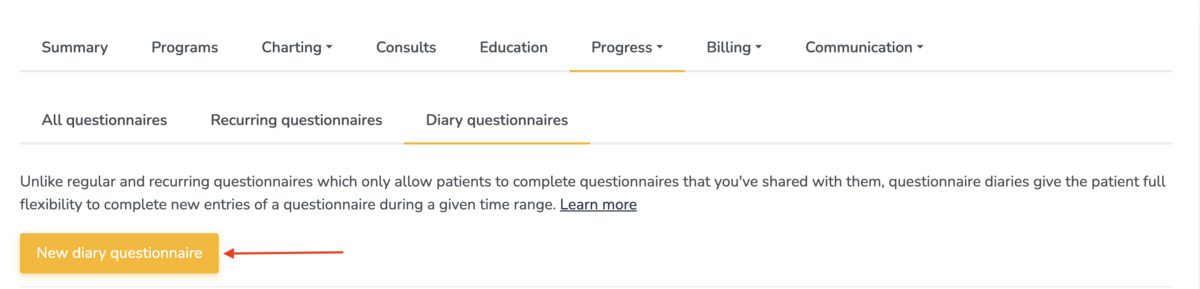
Once created, go to the patient’s profile and navigate to Progress >Questionnaires>Diary questionnaires:

Click New diary questionnaire:
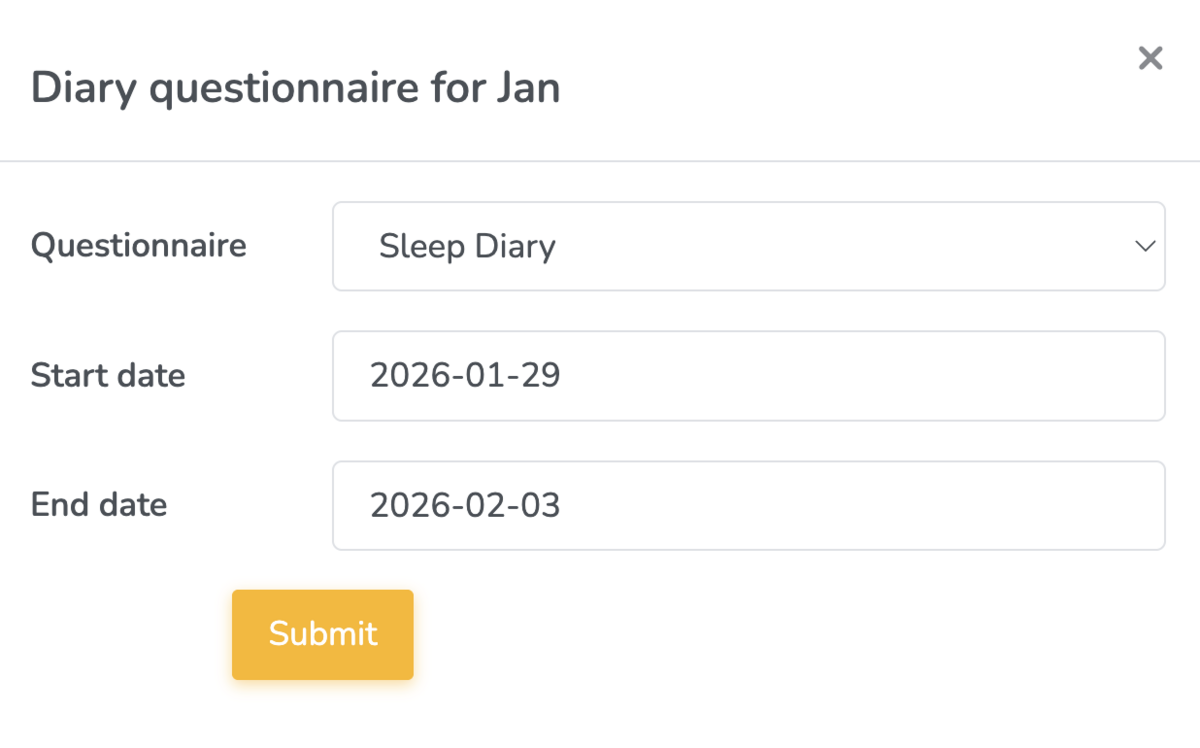
Choose the questionnaire you want the patient to complete and select a start and end date - during this period, patients have full flexibility to add entries whenever they want.
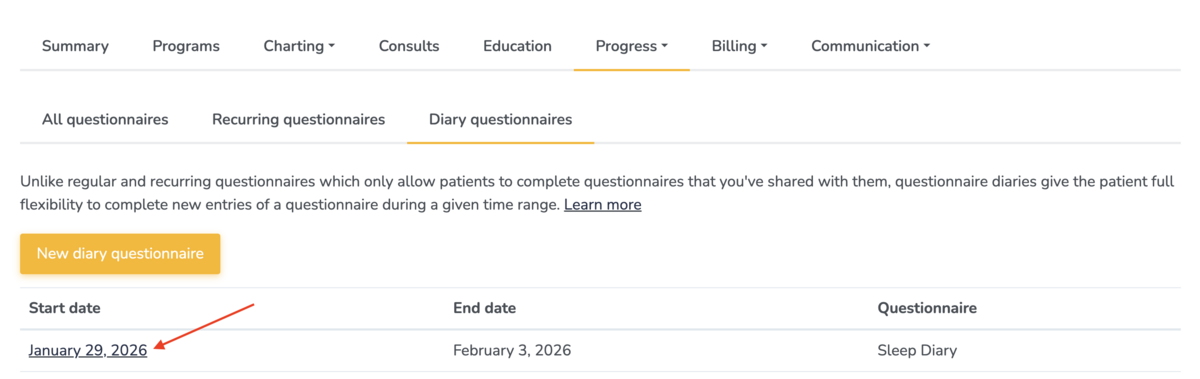
To see what your patient has recorded, simply click on the diary’s start date:
This makes it easy to collect ongoing, self‑reported information without relying on paper logs - giving you richer data and your patients a more convenient experience.
The Patient Experience
Patients can access their diary from any device, including your custom-branded app if you have one.
From their dashboard, they will see a button for their diary.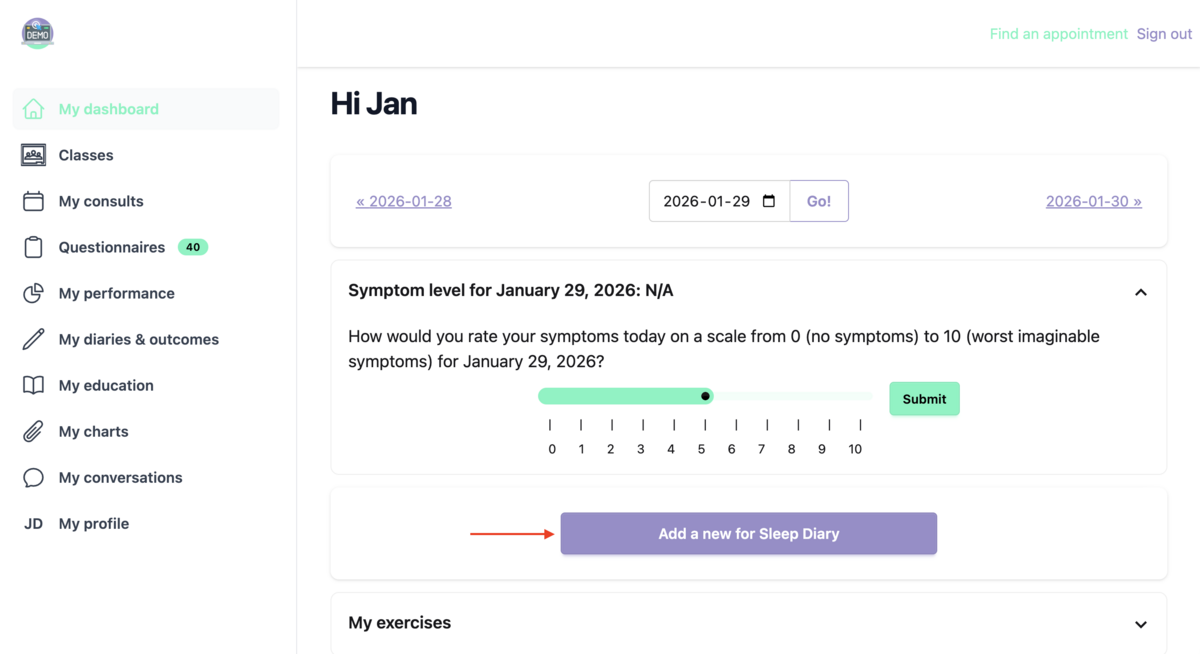
Clicking on the diary button allows them to complete entries, as often as needed, throughout the diary period.
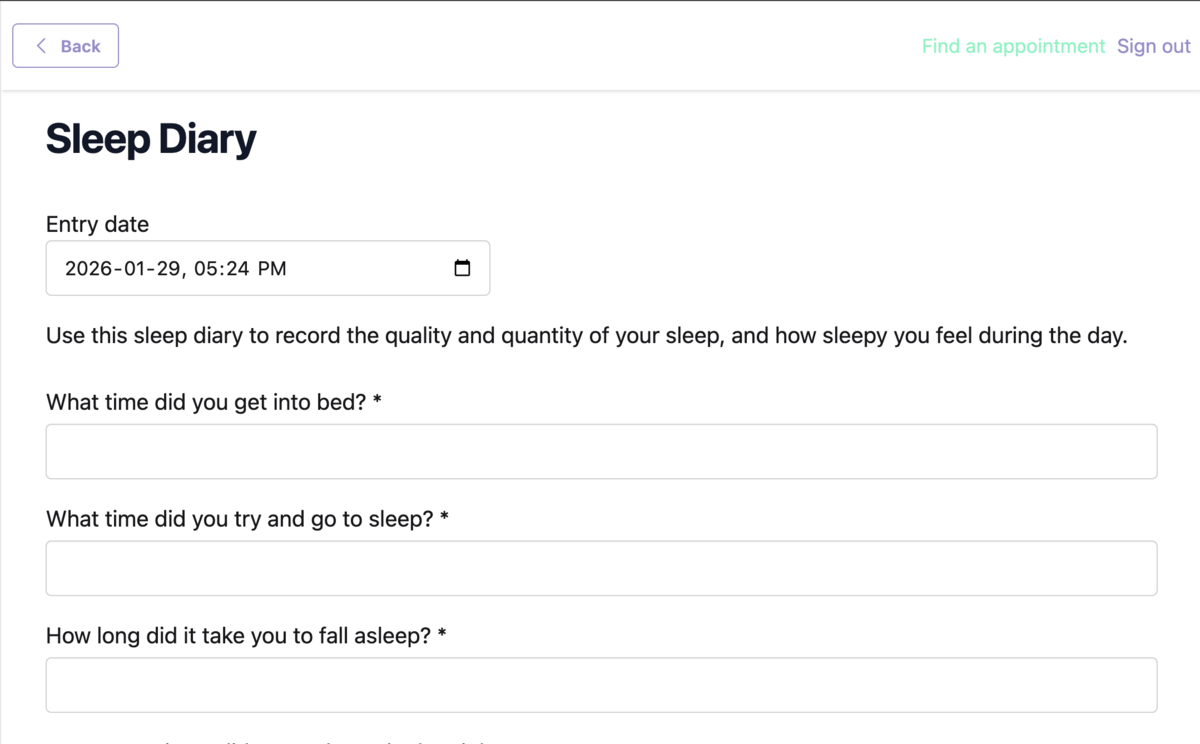
This setup helps patients stay engaged, consistent, and provides you with actionable insights into their progress.